Print family tree: Names remain readable
Limit scope before shrinking type. A focused chart is more useful than a complete chart nobody can read.
PAPER GUIDE · PDF, PNG AND POSTERS
Guidance for using print family tree: A readable chart begins with scope, not the printer button. Decide which branch and generations matter, choose a chart direction, then match the file and paper size to the number of people.
Fictional sample family · live chart preview
Open a template, replace the fictional names and select the paper size in its controls. Review the final chart and any layout warnings before choosing Print / PDF.
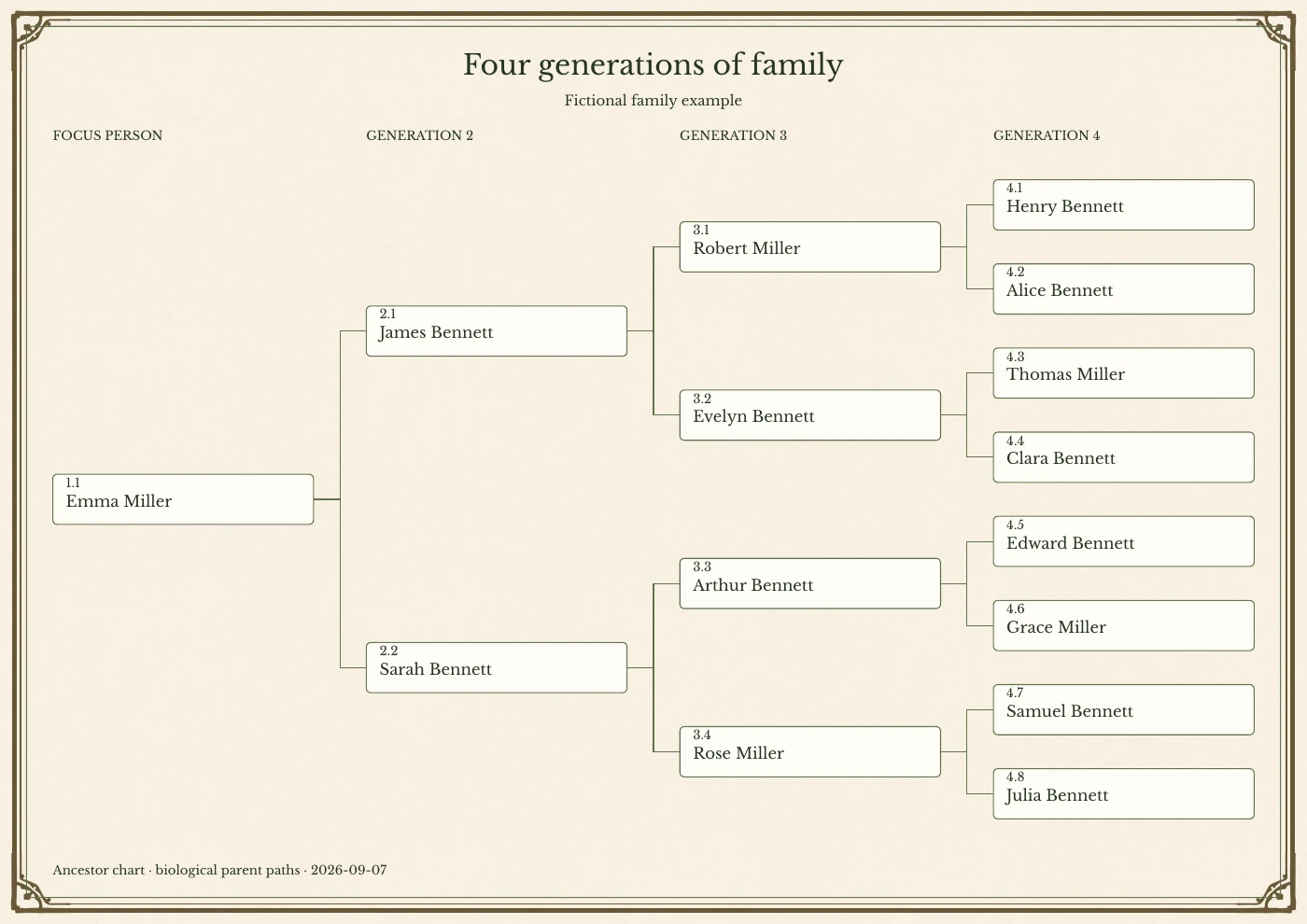
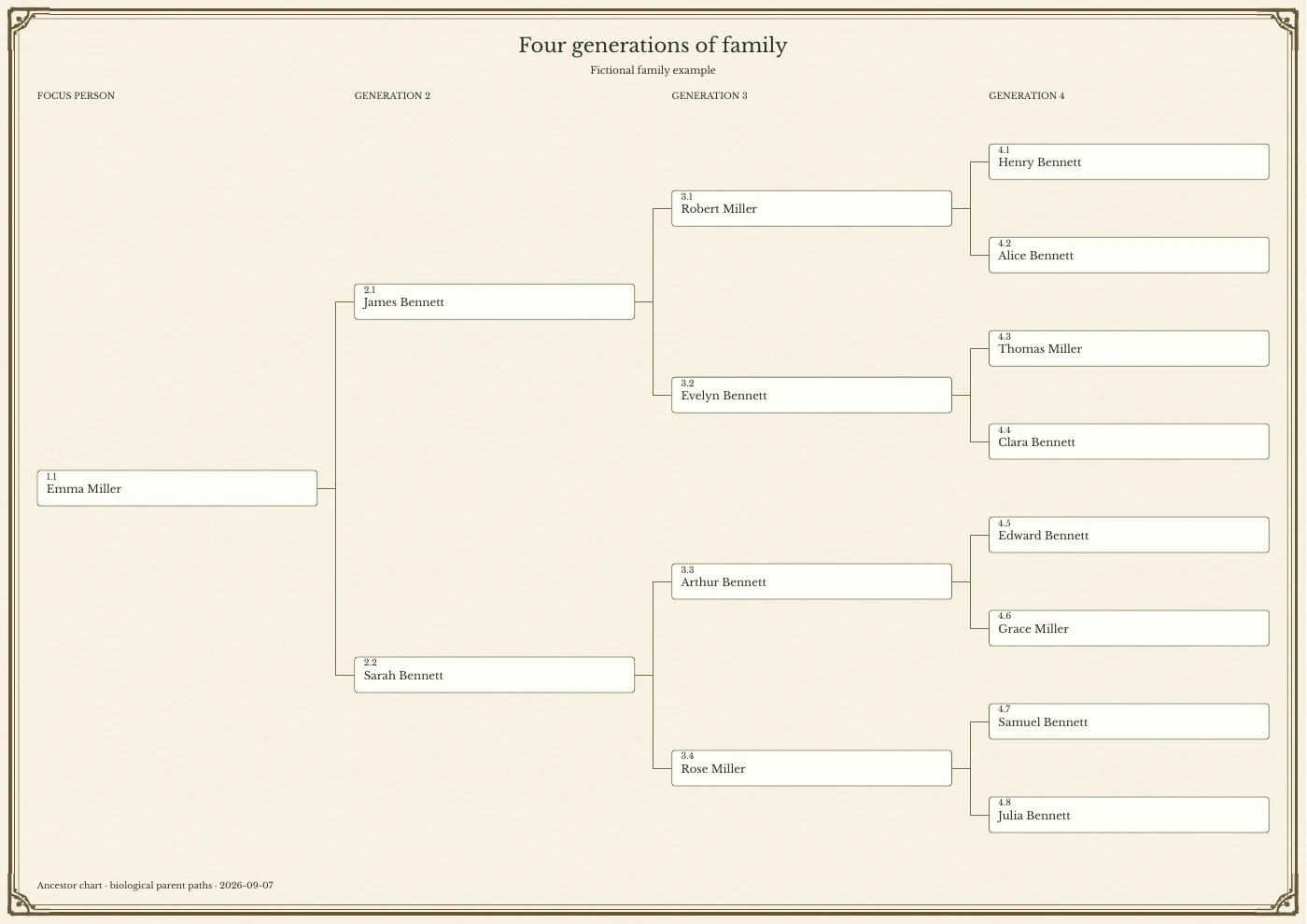
Actual output from the Classic Ancestor renderer: the same 15 fictional people across four generations, with 10 pt names on both papers. On-screen previews are scaled to fit; compare the paper dimensions, not their apparent size on your screen.
More paper gives branches more room; it does not automatically make the names larger. Increase the name size in the editor if needed and recheck the layout. Do not shrink a crowded poster onto A4.
Editing and preview are available before purchase. High-resolution, watermark-free exports require the applicable family purchase. Check pricing and the export controls for your current access.
Explore Classic Ancestor →OUTCOMES
Limit scope before shrinking type. A focused chart is more useful than a complete chart nobody can read.
Wide sibling groups usually suit landscape; deep direct lines often work better in portrait or a fan layout.
Use PDF for print, PNG for quick sharing and SVG when a designer needs editable vector artwork.
THREE STEPS
Pick close family, direct ancestors, descendants or an extended branch before choosing paper.
Three or four generations often fit home paper; larger families may need a poster or multiple pages.
Check orientation, margins, scale and minimum type size at the final paper dimensions.
CHOOSE THE OUTPUT
Best for school work, binders and focused three- or four-generation charts.
A practical step up for siblings, cousins and medium-size reunion displays.
Useful for large descendant or extended-family layouts after a full-size readability check.
BEFORE EXPORT
Create a privacy version before a reunion, school display or public venue. Remove exact dates, notes and photos for living people when those details are not needed.
Read the privacy policyFAQ
The chart contains too many people for the selected paper. Reduce the branch or generation scope, or move to a larger sheet.
Choose PDF for paper because vector text and lines stay sharp. PNG is convenient for messages and screen previews.
Sometimes, but a large extended family usually needs a poster, several focused charts or tiled pages to remain readable.
Name checks for print family tree: Confirm spellings, dates and parent or partner links before exporting.
Paper checks for print family tree: Match the document size and orientation to the paper you will actually use.
Readability checks for print family tree: Make sure the smallest names remain readable and no branches fall outside the page.
Privacy checks for print family tree: Ask permission before sharing names, photos, dates or other personal details.
Print one test copy before ordering a large poster or multiple copies.
Backup checks for print family tree: Save a copy of your project and downloaded files before clearing browser data.
Open the family tree maker or compare the printable templates.
Start a focused tree, compare template limits, and preview the output before sharing or paying.
Build a print-ready tree